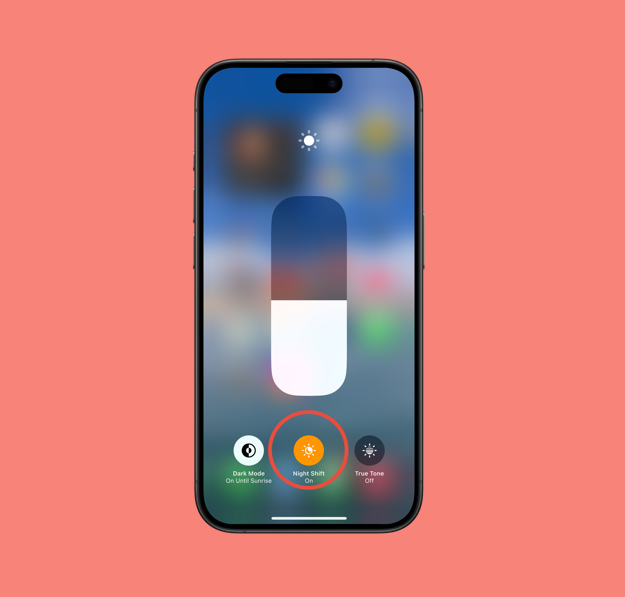

Let’s face it, our smartphones have become an inseparable part of daily life. We rely on them for everything, from staying connected to entertainment and work. But with increasing screen time, our eyes often pay the price. That’s where the iPhone’s Night Shift mode can help. This built-in feature adjusts your screen’s colors to a warmer tone, reducing blue light exposure and making it easier on your eyes, especially during nighttime use. Whether you’re scrolling before bed or reading late at night, Night Shift can make your iPhone experience more comfortable. In this article, I’ll show you the quickest way to turn on Night Shift on your iPhone.
- Swipe down from the top-right corner of the screen (on iPhones with Face ID)
Swipe up from the bottom edge (on iPhones with a Home button).
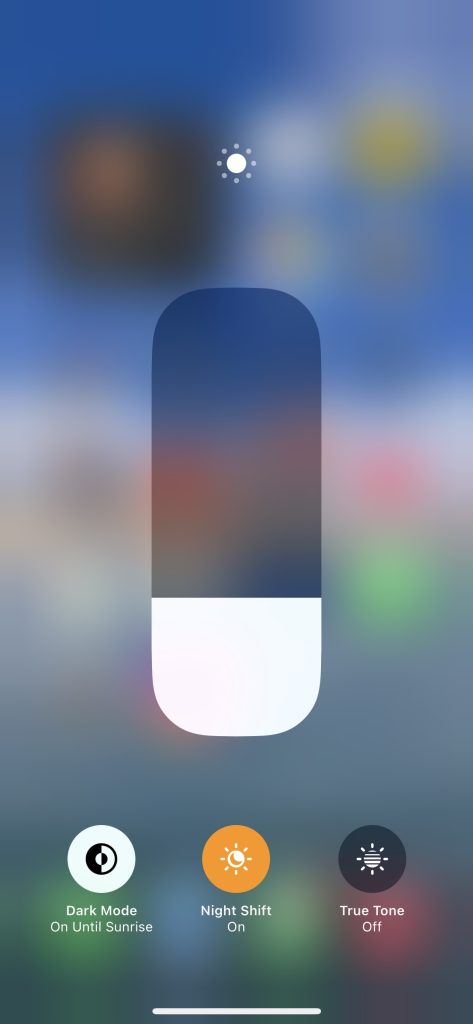
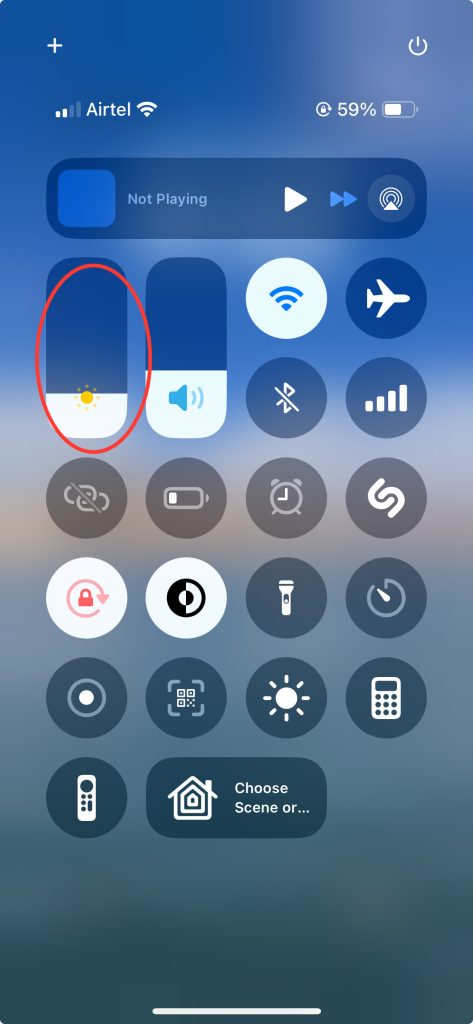
- In the Control Center, press and hold the Brightness slider (the one with the sun icon).
- A larger brightness control will appear. Tap the Night Shift button below it.
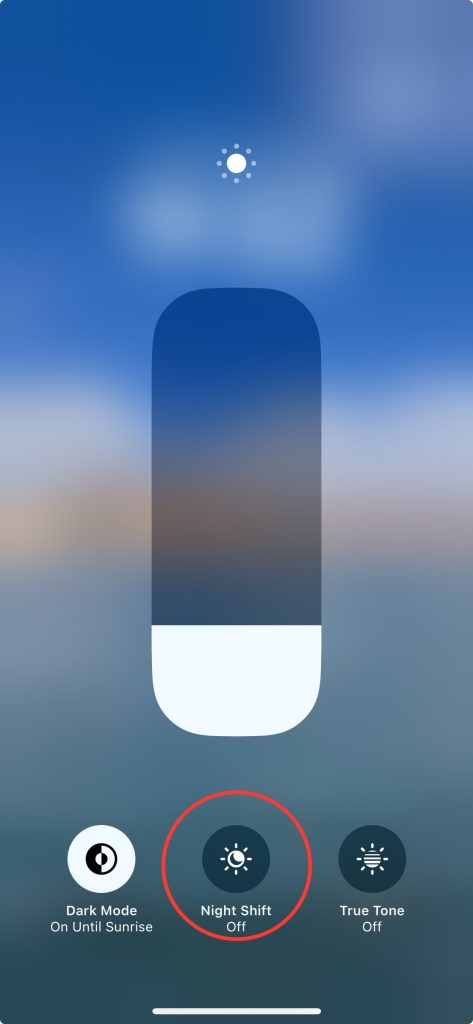
- Night Shift will turn on instantly and remain active until sunrise or your scheduled time.