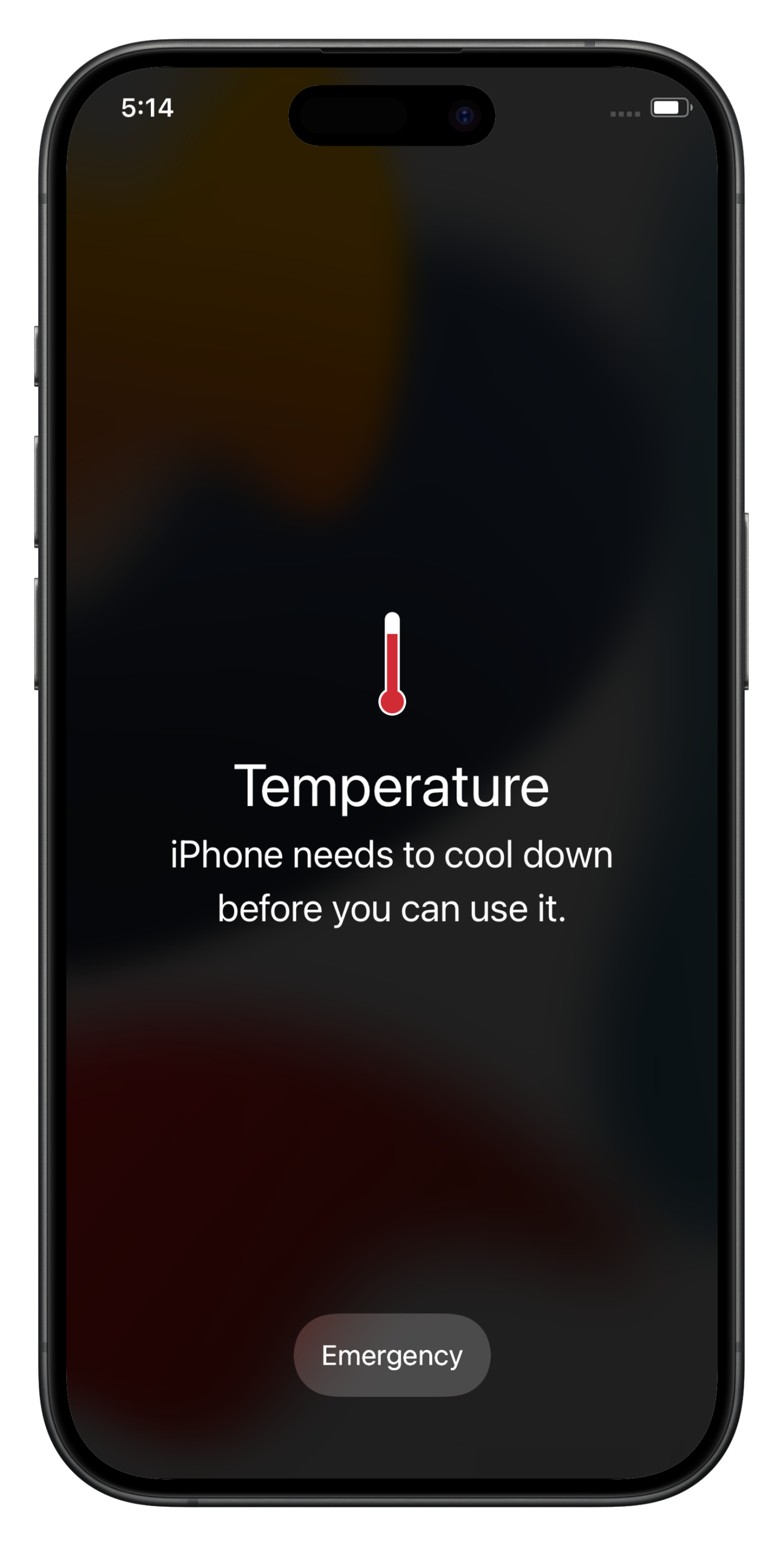

Recently, while binge-watching a TV series on my iPhone, I suddenly noticed that my device was heating up more than usual. This caught my attention because many iPhone users regularly face this issue during their daily routines, especially while streaming videos, gaming, or charging their phones. Although slight heating usually doesn’t affect your iPhone, frequent or excessive overheating can negatively impact battery life and overall performance.
In this guide, I’m going to explain why iPhones overheat, how to cool them down safely, and what you can do to prevent overheating in the future.
Normal Heating vs Overheating
Normal heat-up of an iPhone is not always a cause for concern. Activities such as heavy gaming, continuous 4K video recording, or intensive rendering can naturally make the device feel warm as it works harder. The real concern begins when an iPhone starts heating up regularly and that too in a severe manner. This is where the issue goes beyond normal usage and may indicate an underlying problem. If left undiagnosed, frequent overheating can gradually affect battery health and overall performance, which is why it deserves closer attention.
Why iPhones Overheat (Main Causes)
Heating issues arise in iPhones when internal components are overloaded with heavy tasks that put pressure on the processor, graphics unit, and battery, resulting in excess heat. Environmental factors and software behavior also play a major role in overheating. Below are the most common reasons that aggravate this issue.
1. Heavy usage
Sometimes, while playing graphics-intensive games, recording 4K videos, or performing rendering tasks, the processor finds itself under extreme load. This overload forces the processor and graphics unit to work harder, which results in increased heat generation.
2. Old or faulty battery
Older batteries tend to produce more heat as lithium-ion batteries degrade over time and become less efficient. As a result, they work harder to deliver power, generating additional heat and causing performance slowdowns as the system tries to prevent further overheating. Faulty batteries can intensify heat levels even more and should not be ignored.
3. Charging while using the iPhone
It’s often tempting to continue gaming or watching videos while charging a low battery. However, this creates a worst-case scenario for your iPhone. The device is already warm due to constant CPU and GPU usage, and charging adds extra heat, pushing temperatures even higher.
4. Environmental conditions
Mobile devices rely largely on passive cooling and have very limited ability to dissipate heat on their own. When external conditions exceed the ideal temperature range for smartphones, the iPhone’s battery and internal components struggle to release heat efficiently, leading to overheating. Factors such as direct sunlight, hot surroundings, or leaving the device in a parked car can significantly raise its temperature. In such environments, even normal usage can cause the iPhone to heat up faster than expected.
5. Software-related causes
Software acts as the core of a smartphone, and when it behaves irregularly, it can directly contribute to heating issues. In many cases, software bugs or glitches cause certain processes or apps to consume excessive system resources in the background. This unnecessary strain on the processor and other components forces the iPhone to work harder than required, which can eventually lead to overheating—even during normal usage.
Signs Your iPhone Is Overheating
There are several warning signs that indicate your iPhone is getting too hot and may affect the device’s overall health. When the temperature rises beyond normal levels, you may notice behaviors such as slower performance, automatic dimming of the screen, or system warning messages appearing on the display. In some cases, certain features may temporarily stop working as the iPhone tries to protect its internal components from further damage.
What to Do If Your iPhone Is Overheating
If your iPhone starts heating up excessively, taking quick and safe action can help bring the temperature down and prevent further strain on the device. Here are a few steps you should follow immediately:
- Avoid direct sunlight or heat
Move your iPhone away from direct sunlight or hot environments. Exposure to heat prevents proper cooling and worsens overheating. - Remove the case or skin
Protective covers can trap heat. Removing them temporarily helps the device dissipate heat more effectively. - Close unused apps
Background apps may continue using system resources. Closing unused or heavy apps reduces processor load and heat generation. - Move the phone to cooler surroundings
Place your iPhone in a shaded or air-conditioned area to help it cool down naturally. - Avoid charging temporarily
Charging generates additional heat. Pause charging until the device returns to a normal temperature.
How to Prevent iPhone Overheating in the Future
Keeping your iPhone cool is a good habit to follow. It not only helps maintain your iPhone’s overall health but also keeps its performance consistent over time. Based on regular usage and personal experience, here are a few practices that help keep an iPhone cool most of the time.
- Avoid using your iPhone in extreme heat
Try not to use your device under direct sunlight or in very hot environments for extended periods. - Don’t overuse heavy apps continuously
Gaming, long video recording, or intensive apps should be used in intervals to allow the device to cool down. - Avoid charging while performing heavy tasks
Charging already generates heat, and combining it with demanding tasks increases thermal stress. - Use certified chargers and cables
Poor-quality charging accessories can cause irregular power flow and unnecessary heat buildup. - Keep iOS and apps updated
Updates often include bug fixes and performance improvements that help reduce overheating. - Monitor battery health regularly
An aging or degraded battery can generate more heat. Replacing it when necessary helps prevent long-term issues.
Conclusion
iPhone overheating is a common issue that many users experience during regular usage, and in most cases, it’s not something to panic about. Mild heating during activities like gaming, video streaming, or charging is normal and part of how smartphones function. However, when overheating becomes frequent or severe, it can gradually impact battery health and overall performance if left unaddressed.
By understanding the causes, recognizing the warning signs early, and adopting simple usage habits, you can keep your iPhone running smoothly and cool over the long term. A little awareness and timely action go a long way in protecting your device and ensuring consistent performance.