
iOS 26 is Apple’s most ambitious overhaul since 2013. With a laundry list of changes, many of which are visible at first glance, it’s hard to explore every feature in one go. During its beta period, reactions were mixed: the new glass-like aesthetic felt overwhelming to many users. But after subsequent updates, the interface has become far more intuitive and user-friendly.
This update is designed to enhance usability and offer deeper customization. Whether you’re texting on iMessage or navigating the replaced Control Centre, translucent accents across menus and various UI areas have dramatically refreshed the look and feel of iOS. Since the first beta, I’ve been hands-on with iOS 26, testing features in real-world situations. From that experience, I’ve selected the top features that truly stand out—and are worth your attention.
iOS 26 Key Features
1.iOS 26 Call Screening — How It Works
• When a call comes in from an unknown number, iOS 26 can auto-answer in the background.
• Siri asks the caller to state their name and reason for calling.
• The caller’s reply is transcribed live and displayed to you as text — sometimes audio playback is also available.
• You can then accept, decline, or ignore the call based on the response.
2. Next-Level Customisation
• Dynamic Lock Screen time placement and 3D wallpaper motion effects.
• App icon themes: light, dark, or glass-clear.
• Live translation in calls, Messages, and FaceTime plus custom chat backgrounds.
• New visually appealing transition.
3. Search Placement
• Search bars moved to the bottom in apps like Messages, Mail, Notes, and Apple Music for easier thumb reach.
• Safari and Phone let you switch search bar back to the top if preferred.
4. Apple Music Lyrics Translation
• Live lyrics translation and pronunciation overlays help you sing along.
• AutoMix creates smooth, DJ-style transitions between songs.
5. Battery Exploration
• New Adaptive Power mode saves energy smartly without heavy restrictions.
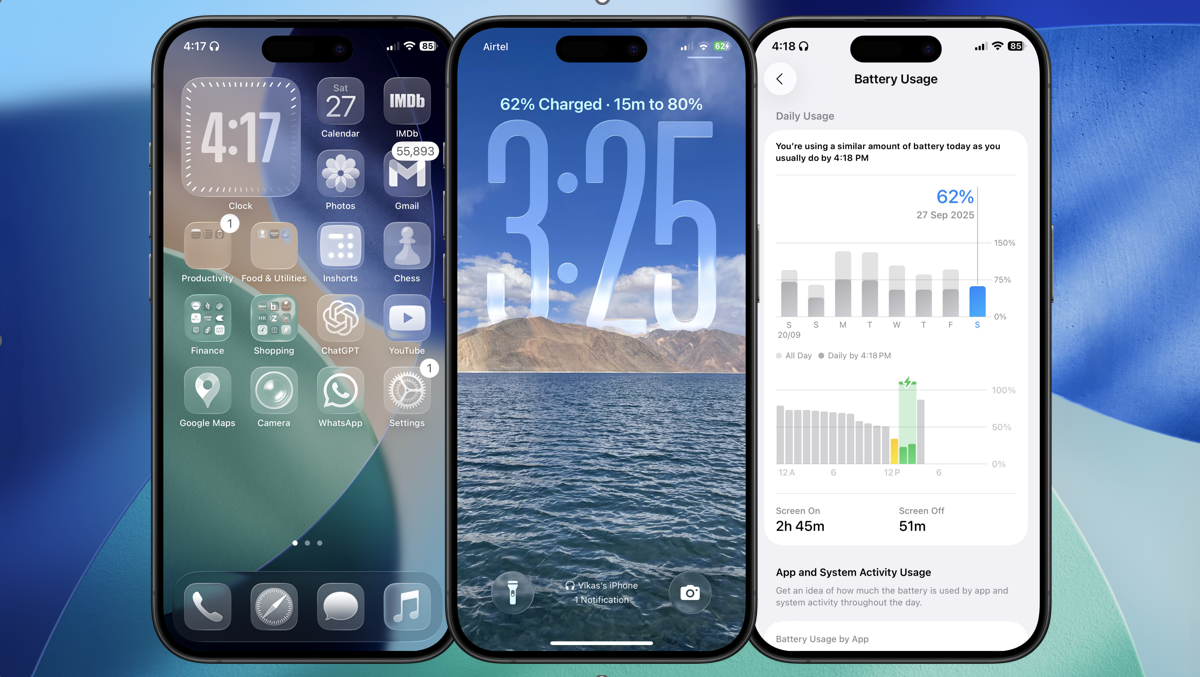
• Charging time estimates and a refreshed battery usage UI give clearer insights.
6. Create Ringtones
• Set custom ringtones directly from audio files in the Files app via “Use as Ringtone.” No Mac or GarageBand needed.
This update brings a bunch of new features, creating a more user-friendly and intuitive experience.