
Resetting your laptop can be helpful in various situations, such as resolving software issues, fixing malware problems, or improving performance when your device starts to slow down with age. Additionally, if you’re planning to sell your laptop or PC and upgrade to a new one, a reset can be useful, as it clears out unnecessary files and clutter, effectively making your laptop feel like new again. Just make sure to back up your data before resetting your laptop so you won’t lose anything during this process. In this guide, we will walk you through the process of resetting your Windows 11 laptop.
Follow the steps to conveniently reset your Windows 11 Laptop: –
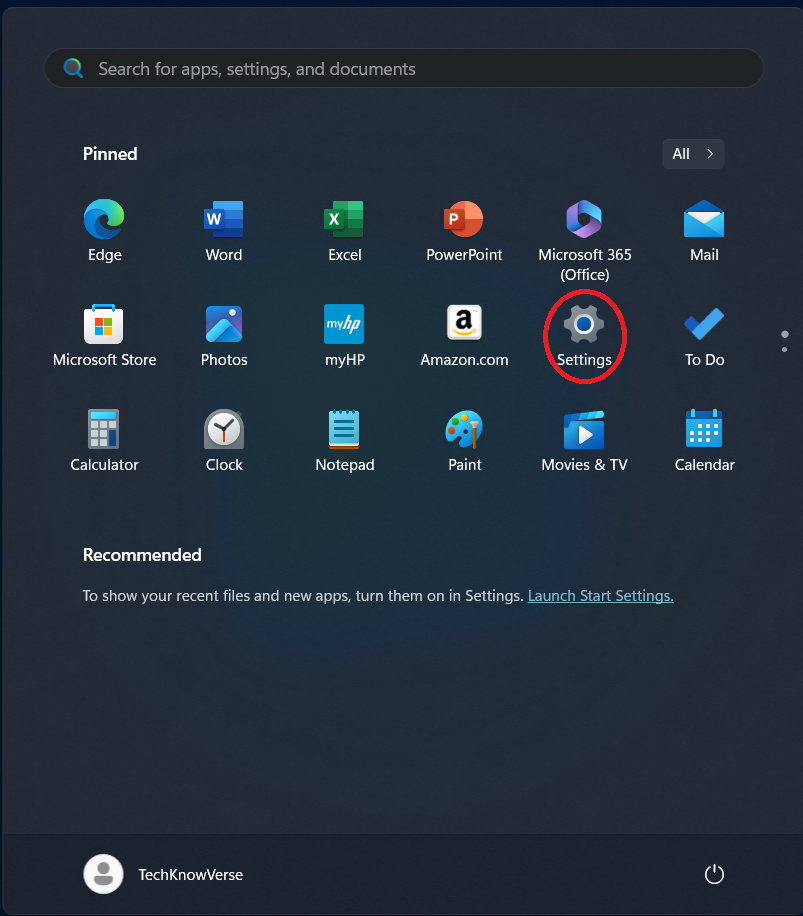
1.Open the Start menu and go to Settings.
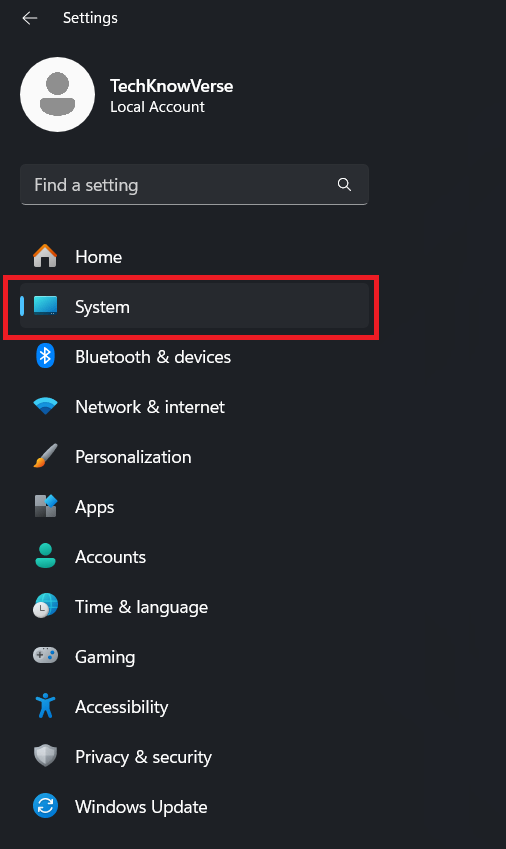
2. Navigate to the System tab.
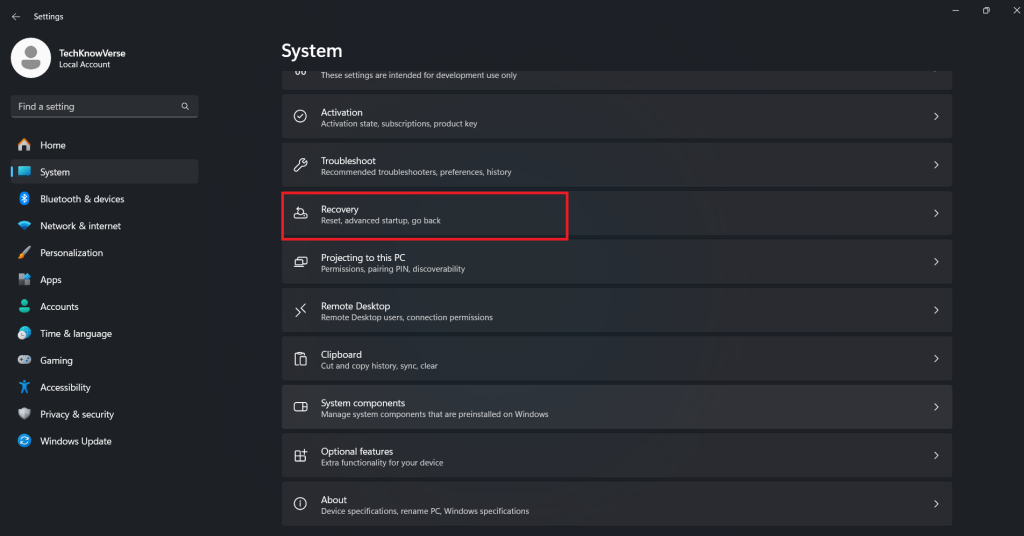
3. Click on Recovery.
4. In the Recovery options section, choose Reset this PC.
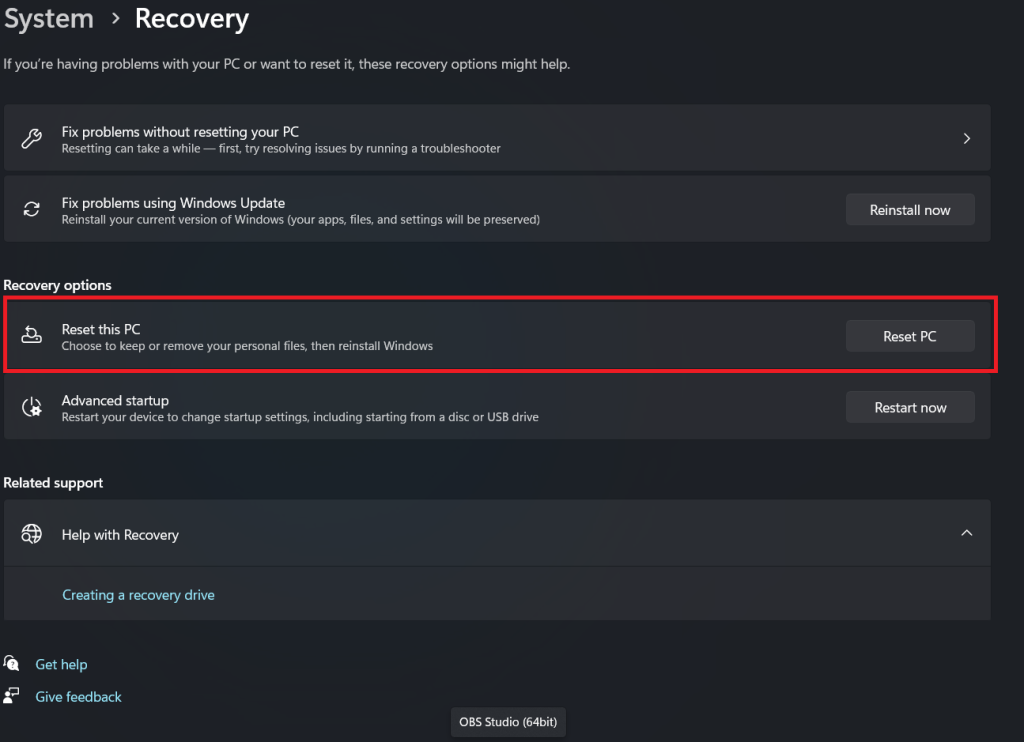
5. Two reset options will appear, choose the one that suits your needs.
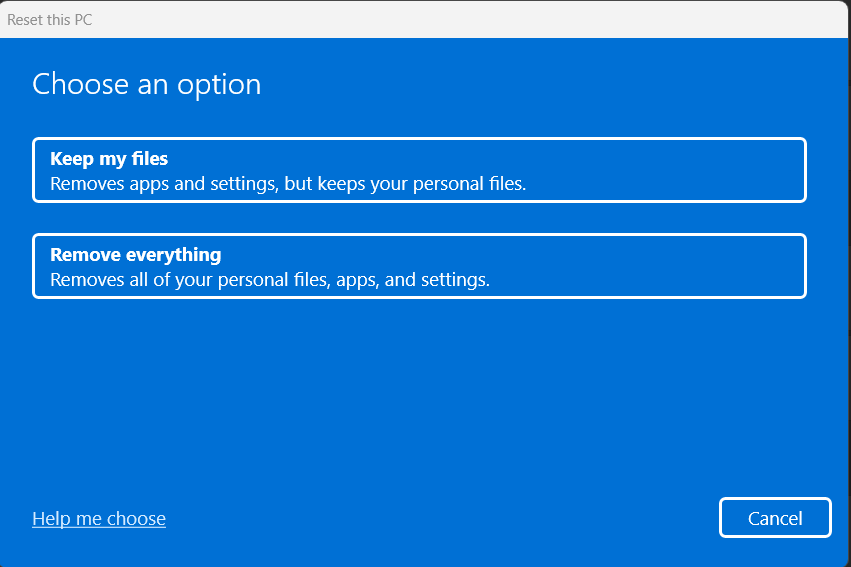
Now sit back as Windows 11 begins resetting your laptop. Be sure to follow the prompts until the setup is complete.